
Operator Workflows
The operation is the root object of operator work. A chain is the throw path inside that operation: it is the shared workspace where clients collaborate, add modules, validate readiness, and throw against operation-owned targets.
An entity is any actor connected to hoveld: a human operator in the implemented cli, an MCP client, a future TUI session, an AI agent, or another authorized user. Multiple entities may attach to the same operation. Each attachment has its own active chain, while chain state, operation target inventory, target sets, configuration, steps, and logs are daemon-owned shared state.
Operation Collaboration
Every chain owns an operation-scoped log topic:
operation/<operation>/chain/<chain>/logs
Every entity attached to the same operation and chain subscribes to the same topic. A log statement for a chain change must be visible to every connected CLI client and, once implemented, every TUI and MCP client attached to that chain, but clients working other chains should not receive it by default.
Client-local attachment state:
- Attached operation.
- Active chain within that operation.
- Current prompt mode.
- Current log cursor.
Daemon-owned shared state:
- Operation records.
- Chain records, steps, and chain config.
- Operation target inventory, target config, and target sets.
- Throw records.
- Installed payload records and state-change history.
- Structured events, rendered logs, artifacts, and findings.
Required chain log events:
- Chain created, renamed, inspected, deleted, or selected.
- Entity attached or detached from an operation or chain.
- Module added, removed, reordered, or configured.
- Target added, removed, updated, grouped, or configured.
- Chain configuration set or unset.
- Validation started, completed, or failed.
- Throw planned, started, progressed, completed, or failed.
- Survey facts discovered.
- Payload provider output selected.
- Installed payload created, connected, marked unreachable, cleaned up, or manually removed.
- Exploit step started, completed, or failed.
- Finding, artifact, structured event, or throw result emitted.
The CLI should render this as a live transcript. The future TUI should render the same topic in a log panel. Future MCP should expose the same stream through a tool or resource optimized for agents.
Throw Transcript
A throw should look like a live operator transcript, not a JSON blob. The transcript is a terminal rendering of structured log events; JSON, RPC, MCP, files, the CLI, and the eventual TUI must consume the same typed event model rather than parsing terminal text.
Each log event should carry stable structure:
id, time, topic, kind, level, source, message
chain_id, chain_name, run_id, target, module_id
elapsed_seconds
fields
attributes
For throw logs, elapsed_seconds is seconds since the throw started. The terminal renderer displays it inside the label as fixed-width 000.00 seconds, highlighted separately from the purple label background.
Minimum CLI render:
HOVEL//THROW op/redteam-lab chain/ssh-memory

operation    redteam-lab
chain        ssh-memory
entities     operator:will, agent:planner
targets      3
steps        survey:2 exploit:1 payload_provider:1
status       validating

┃ :: validate 000.01 checking chain configuration
┃ ++ validate 000.02 global config complete
┃ ## validate 000.03 target router-01 missing ssh.username
┃ :: chain    000.04 added module mock-survey as step step-1
┃ :: target   000.05 added mock://router-01
┃ >> stage    000.06 throw started
┃ :: survey   000.07 router-01 os=linux arch=x86_64
┃ $$ payload  000.08 selected payload mock-payload-x86_64-linux
┃ ++ exploit  000.09 router-01 completed mocked exploit flow
┃ ++ throw    000.10 completed 1/1 target(s)
The eventual TUI live throw view should split the same state into:
- Chain header.
- Attached entity presence.
- Step timeline.
- Target matrix.
- Configuration validation panel.
- Chain log stream.
- Findings and artifacts panel.
Module Database
Hovel needs a daemon-owned module database. The initial module types are:
survey
exploit
payload_provider
The type set must be expandable later without changing the chain model.
A module database record contains:
- Module ID.
- Name.
- Module type.
- Version.
- Summary and description.
- Tags.
- Runtime kind.
- Author or source.
- Required and optional chain configuration schema.
- Required and optional target configuration schema.
- Output schema.
- Safety labels.
- Enabled or disabled state.
Implemented commands:
module available
module available --type survey
module installed
module installed --type survey
module inspect <module-id>
module search <query>    # compatibility alias for local availability search

Chain Steps
Chains contain ordered steps. A step usually references a module from the module database.
Implemented commands:
chain add <module-id>
chain inspect
Adding a module logs to the chain topic. Removing or reordering a step is a planned editing capability, not a current registry command. When step editing lands, those mutations must also log to the chain topic. Step IDs must be stable so validation errors, logs, and UI selection can point at a specific item.
Payload providers must also be visible as chain steps. Operators should add Squatter explicitly with chain add squatter.bind or chain add squatter rather than configuring low-level payload file paths on every target. For the current MS17-010-to-Squatter TCP bind slice, that step contributes chain-scoped Squatter settings such as squatter.bind_port and optional squatter.remote_path. During planning Hovel derives the MS17-010 install inputs for each selected target from that step, including the staged local payload path, optional fixed remote path, bind port, payload transport, and SMB transport port. When no fixed remote path is configured, the MS17-010 exploit generates a fresh target path during execution and records it in the result artifact. During execution, a Squatter bridge step means the MS17-010 exploit installs the staged payload and Hovel immediately connects any recorded Squatter installed payload through the provider, so a successful handoff produces a normal session visible in session list. An MS17-010-only chain may still run a command such as calc.exe, but it does not create a Squatter session.
Configuration
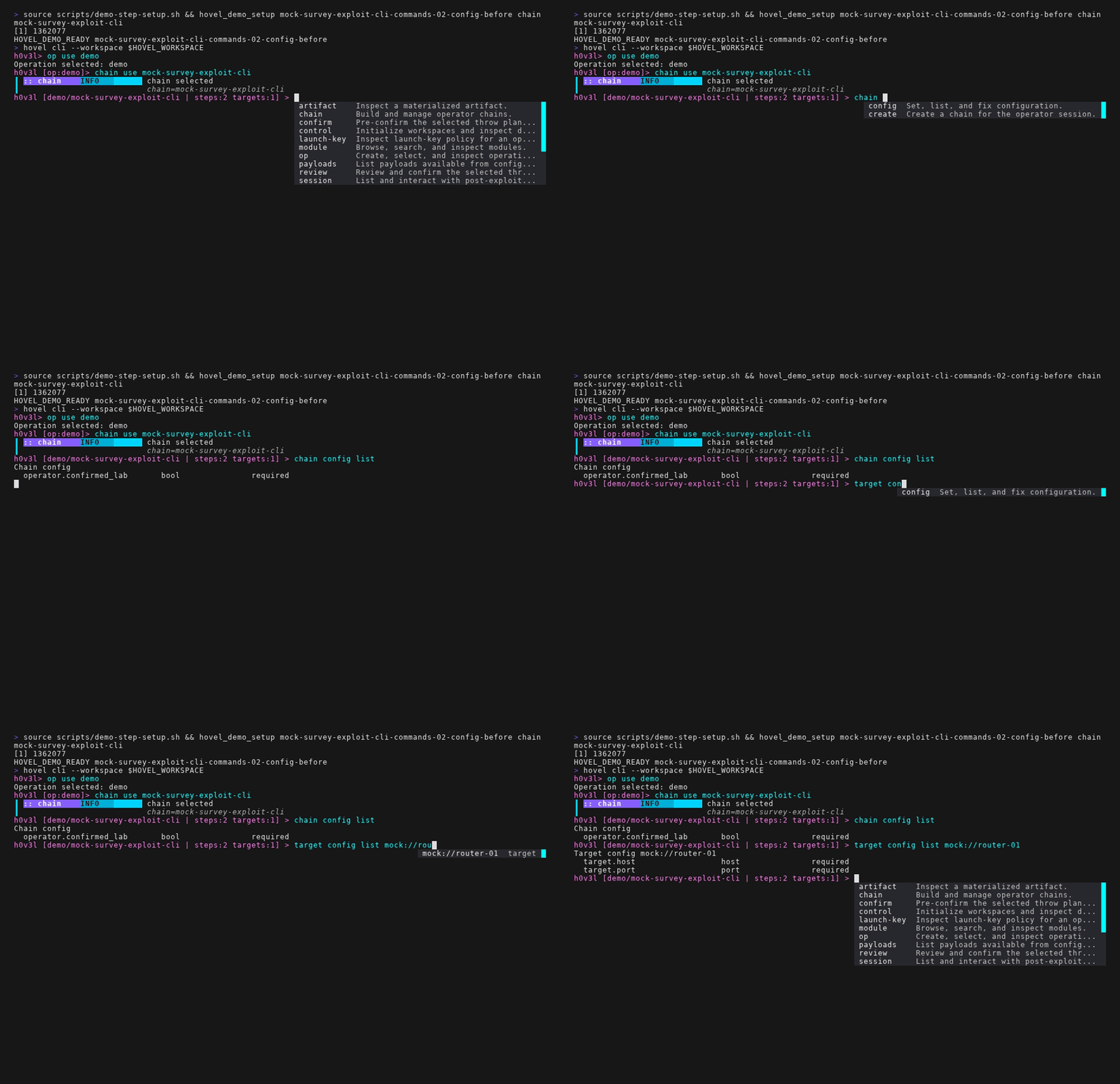
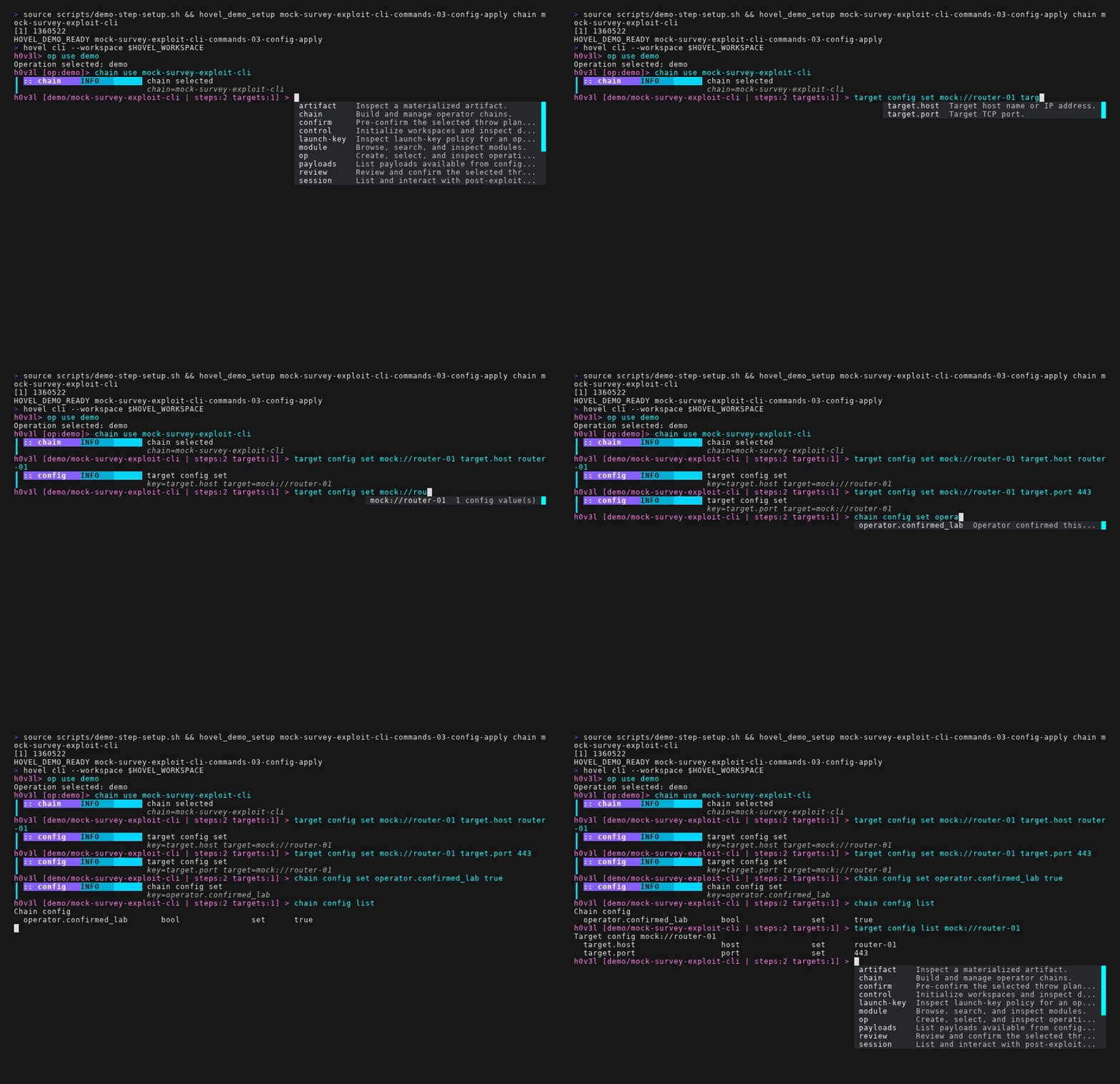
Configuration is a typed key-value dictionary.
Scopes:
chain config       applies globally to the active chain
target config      applies to one operation-owned target across chains
Every survey, exploit, payload provider, or future chain item can declare:
- Required chain configuration keys.
- Optional chain configuration keys.
- Required per-target configuration keys.
- Optional per-target configuration keys.
Built-in value types:
string
bool
int
float
enum
duration
url
host
port
cidr
path
list<string>
map<string,string>
Each key definition supports:
- Name.
- Type.
- Required flag.
- Default.
- Description.
- Allowed values for enums.
- Validation rule.
- Scope:
chainortarget.
Implemented commands:
config set <key> <value>
config unset <key>
config list
config interactive

target config set <target> <key> <value>
target config unset <target> <key>
target config list <target>

target bind <target>
target unbind <target>

target set create <name>
target set add <name> <target>
target set remove <name> <target>
target set list
target set inspect <name>
target group create <name>
target group add <name> <target>
target group remove <name> <target>
target group list
target group inspect <name>
config interactive is the active-chain alias for the CLI-only chain config interactive wizard. It is implemented inside the existing go-prompt loop and uses the same session mutation path as chain config set and target config set. It first renders the current chain and target configuration as a numbered menu, then changes the prompt into config-selection mode with completions for editable items, continue, and cancel. When the operator continues, Hovel changes the prompt into config-value mode, offers type-aware completions where possible, walks the remaining required chain and per-target keys, validates each typed value as it is entered, and repeats until all required configuration is set or an unfixable validation issue remains.
Validation
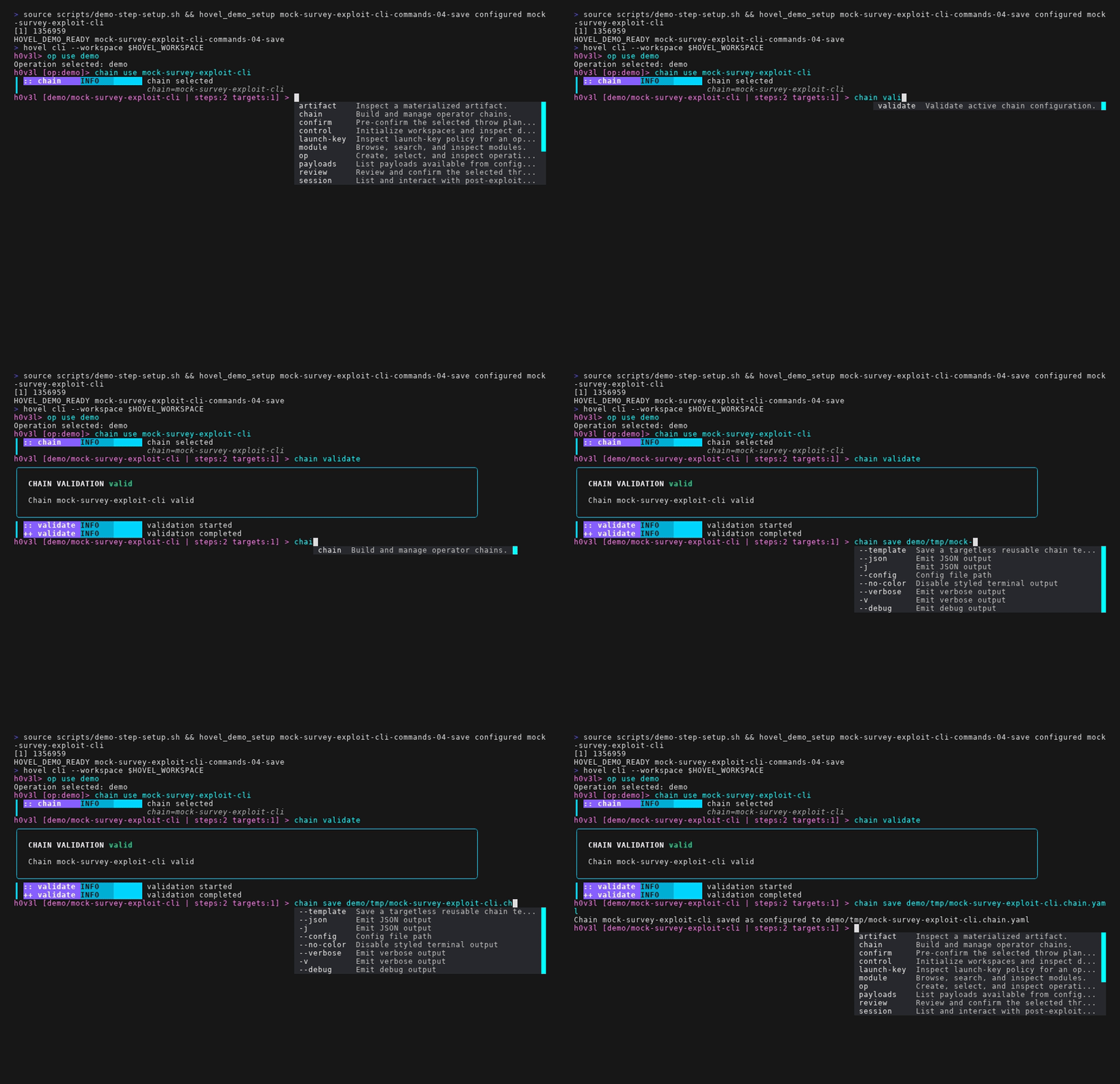
chain validate checks whether the active chain is ready to throw.
Validation must evaluate:
- Active chain exists.
- Chain has at least one step.
- The selected throw target source has at least one target.
- Every step references an enabled module in the module database.
- Required chain configuration keys are set.
- Required target configuration keys are set for every target.
- Values parse into their declared types.
- Enum values are valid.
- Sensitive operator-controlled values are validated like any other configured value.
- Payload provider requirements are satisfiable.
- Every chain step has a stable ID.
Validation output must be human-first and scriptable with --json.
Targets are operation assets, not chain-local records. Existing commands such as target add and target config set continue to work in the active operation, but target add only binds to a chain when the caller is in chain context. target bind and target unbind adjust active-chain bindings explicitly. A throw selects targets from one of three sources: an explicit --target, an explicit --target-set/--target-group, or the active chain's bound targets. Target sets/groups are convenience views over the same target records; they do not duplicate target config.
When a target set contains mixed readiness, Hovel plans and throws against the compatible targets and reports skipped targets with the validation issues that made them incompatible. If no compatible targets remain, planning fails. Explicit --target remains strict: an incompatible explicit target blocks the throw so a typo or missing config is not silently ignored.
Payload Commands
The payloads command suite is the operator surface for payload
discovery, stamped generated artifacts, installed payload inventory, reconnect,
refresh, and cleanup. It is intentionally separate from session:
payload inventory commands answer what is available or installed; session
commands answer what is connected now. Both suites can also expose typed
provider-owned actions through their commands/call
subcommands.
Implemented commands:
payloads available
payloads available --json
payloads installed
payloads installed --all
payloads installed --state installed|connected|unreachable|removed
payloads inspect <payload-id> [--events] [--json]
payloads connect <payload-id> [--json]
payloads refresh <payload-id> [--json]
payloads cleanup <payload-id> [--reason <reason>] [--json]
payloads mark-removed <payload-id> [--reason <reason>] [--json]
payloads register-squatter <target> [--host <host>] [--port <port>] [--json]
payloads commands <payload-id> [--json]
payloads capabilities <payload-id> [--json]
payloads call <payload-id> <capability> [--arg <value> ...] [--set <key=value> ...] [--json]
payloads getfile <payload-id> <remote-path> [--json]
payloads putfile <payload-id> <local-path> <remote-path> [--json]
payloads cmd <payload-id> <command-line> [--json]
Installed payload IDs use short operator-facing handles such as
p1 and p2, backed by stable internal ids. The
inventory is global to the workspace and stores operation, chain, target, throw,
run, stamp, and artifact provenance; switching chains must not hide an
installed payload. payloads installed shows active operational
inventory by default: installed, connected, and
unreachable. Removed records appear only with --all or
an explicit removed-state filter.
payloads available currently lists configured
payload_provider modules from the live module catalog; the Go
provider RPC surface also defines list_payloads for richer provider
discovery. payloads installed is a local database read and does not
probe targets by default. payloads refresh is implemented as a
record-preserving command today; provider-backed validation is still a planned
behavior. payloads connect asks the current provider module to use
the stored reconnect descriptor; if the provider is missing or incompatible,
the record remains visible with reconnect marked unavailable.
payloads commands and the payloads capabilities alias
list provider-owned typed actions for an installed payload. payloads
call invokes one of those actions without opening an interactive
session. payloads getfile, payloads putfile, and
payloads cmd are compatibility shortcuts over the same call path.
Human output renders command catalogs as tables with safe/write/destructive
effect labels and pretty-prints JSON command stdout or stderr.
payloads connect <payload-id> creates a normal Hovel session when
reconnect succeeds. The session appears in session list and links
back to the installed payload id. The MS17-010-to-Squatter bridge performs this
connection automatically during the throw after the MS17-010 exploit records the installed
payload; payloads connect remains the manual reconnect path for
already installed payloads. Providers may support multiple active sessions per
installed payload; when they do not, the provider should reject a second
connection with a clear error and Hovel should preserve the installed record.
Cleanup has two explicit paths. payloads cleanup <payload-id>
asks the provider to execute its cleanup descriptor, then marks the installed
payload record removed if provider cleanup succeeds.
payloads mark-removed <payload-id> records operator bookkeeping
when the payload is already gone or the target was rebuilt.
Commands that read or mutate installed payload records accept
--workspace for explicit workspace selection. payloads
inspect --events includes the installed-payload state-change history.
Singular payload ... aliases exist for the implemented command
paths.
Artifact Commands
The artifact command suite is the operator surface for
materialized artifact records produced by throws, payload generation, and
module execution.
artifact list [--workspace <path>] [--json]
artifact inspect <artifact-id> [--workspace <path>] [--json]
Artifact commands are read-only in the current registry. They inspect the
workspace's recorded artifact metadata and support plural
artifacts ... aliases for the implemented command paths.
Post-Exploitation Sessions (MSF-Style)
Hovel should treat post-exploitation access as a first-class operation object, not an ad-hoc log line. A successful exploit step may open zero, one, or many sessions. Sessions should be stable, interactive, resumable, and automatable across CLI and future TUI and MCP adapters.
Session Goals
- Operator UX parity with Metasploit: easy
sessionslisting, interact, background, kill, rename, and tagging. - Multi-entity collaboration: one operator can hand off a live session to another operator or agent without losing context.
- Module maintainer simplicity: modules emit typed session open/close/update events and implement a narrow runtime contract.
- Daemon ownership: session lifecycle and transcript persistence live in
hoveld, not in front-end memory.
Session Domain Model
Each session record should include:
- Session ID (stable within workspace).
- Operation and chain identifiers.
- Source run ID and source step ID.
- Target identifier.
- Session kind (
shell,meterpreter-like,agent, extensible). - Transport (
tcp,http,https,named-pipe, etc.). - Lifecycle state (
opening,active,backgrounded,lost,closed). - Ownership and lock state (free, attached, read-only observer).
- Capabilities (
exec,upload,download,pivot,portfwd,pty, etc.). - Last-seen timestamp and liveness metadata.
- Session labels/tags and optional notes.
Session Control Plane
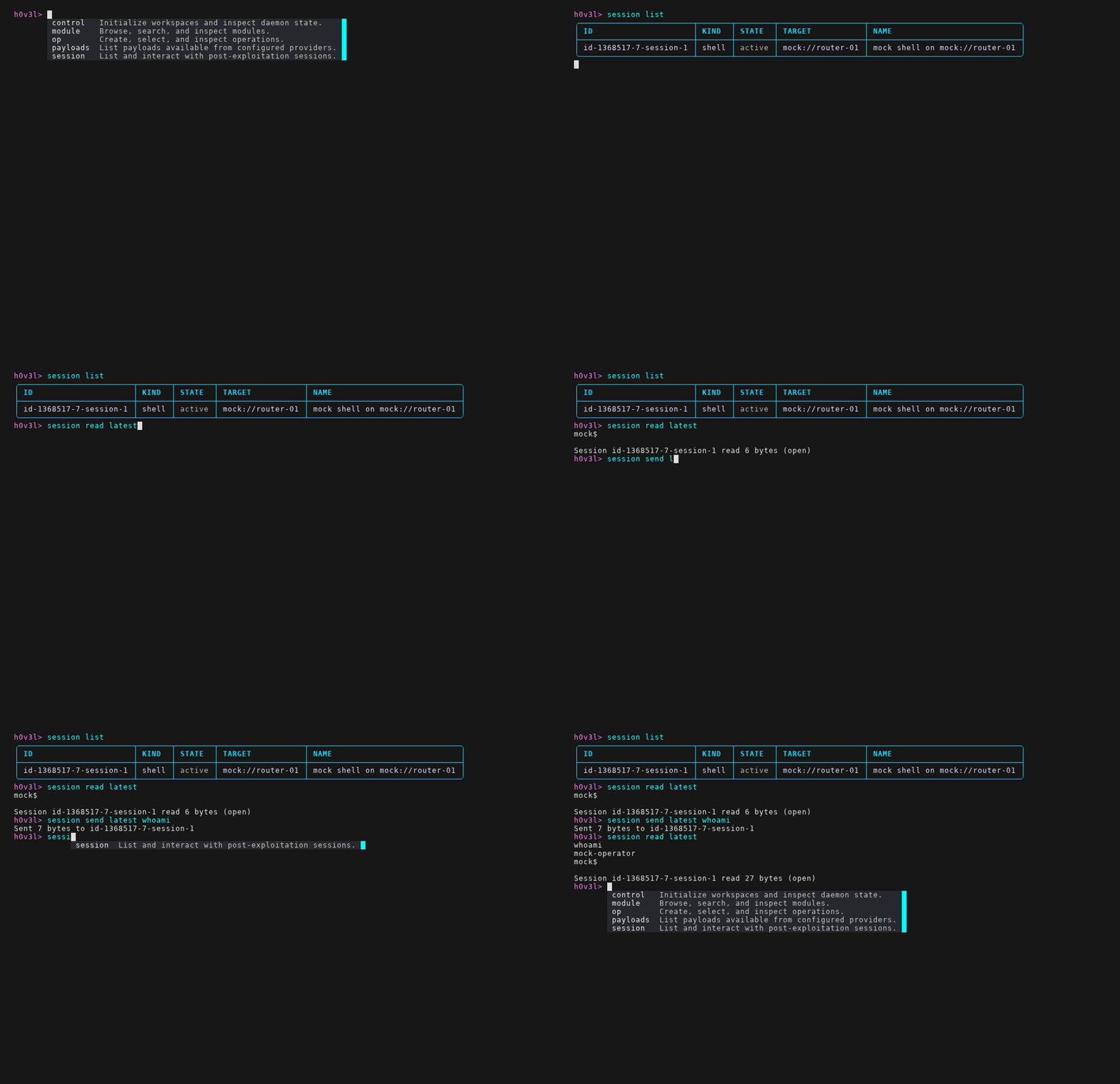
Implemented operator commands:
session list
session connect <session-id> [--history-lines <n>|--history-bytes <n>|--no-history]
session tail <session-id> [--lines <n>|--bytes <n>] [--json]
session read <session-id> [--tail] [--json]
session send <session-id> <data> [--end <terminator>|--no-newline] [--json]
session close <session-id> [--json]
session commands <session-id> [--json]
session capabilities <session-id> [--json]
session call <session-id> <capability> [--arg <value> ...] [--set <key=value> ...] [--json]
session connect attaches the terminal to an active daemon-backed
session from either hovel cli or a direct
hovel session connect command. It prints recent history by
default, supports byte or line history limits, and detaches on Ctrl-].
session tail prints recent transcript output without attaching.
session read --tail streams until close or interruption.
session send appends a newline by default; use
--no-newline or --end for exact terminators. The
session write alias maps to session send.
session commands and session capabilities list typed
provider-owned actions for an active session. session call invokes
one action without writing bytes to the interactive stream, which is useful
for agent sessions such as Squatter where tasking is typed even when an
interactive shell-like view is also available.
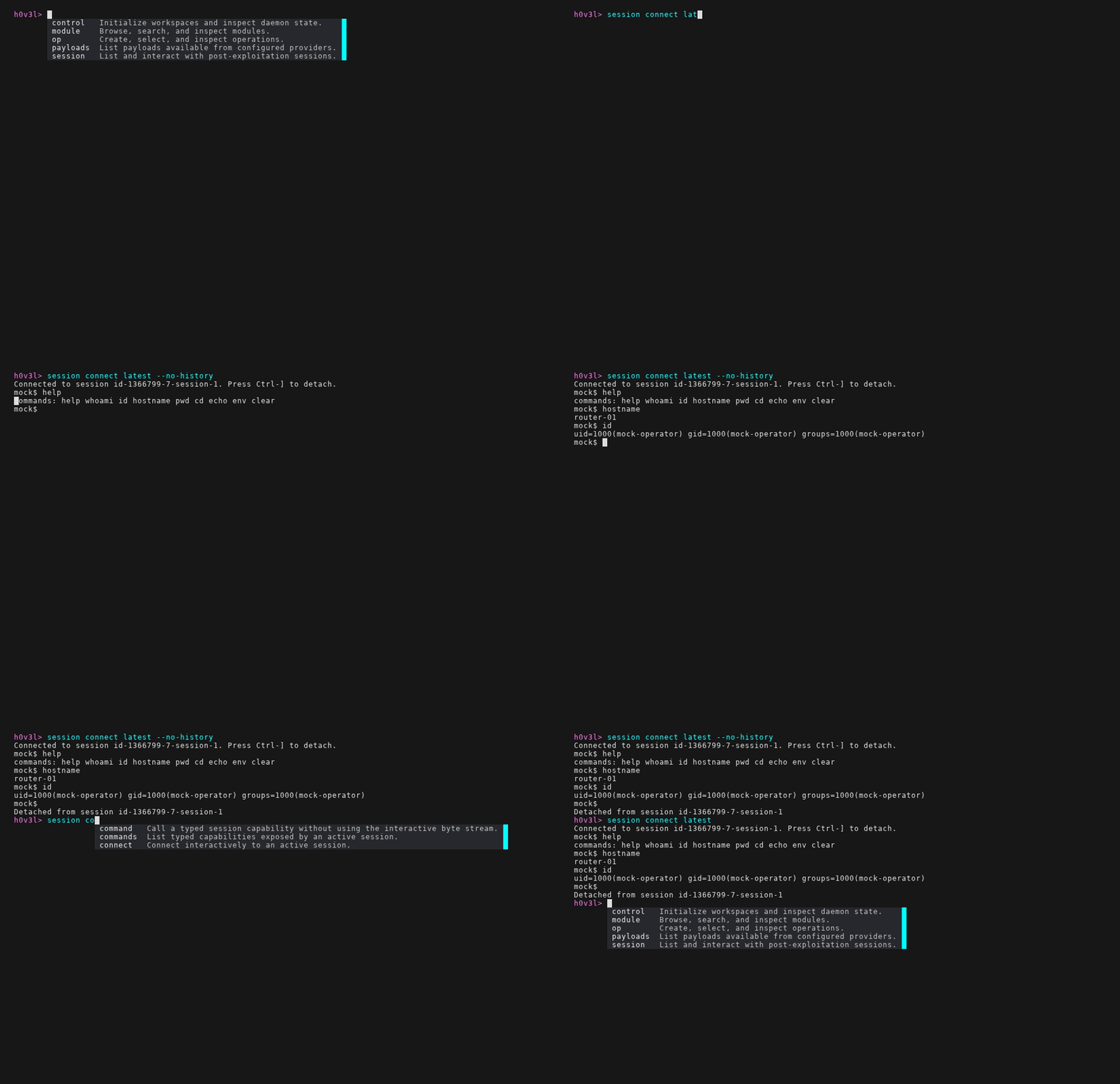
session inspect, session use, session background, session rename, and session tagging are future control-plane goals rather than current registry commands.
Control-plane requirements:
- Session attach/detach is explicit and logged.
- Concurrent attach policy is configurable (single-writer + multi-reader by default).
- Session loss is surfaced immediately with reason codes.
- Session takeover is explicit (
--force) and audited.
Session Data Plane
Interactive traffic must flow through daemon-managed streams:
- Input stream: operator/agent keystrokes or commands.
- Output stream: remote stdout/stderr/events/chunks.
- Side-channel events: file transfer, port forward lifecycle, privilege escalation hints.
Design constraints:
- Binary-safe framing (not line-oriented only).
- Backpressure-aware buffers per attached entity.
- Replay cursor for reconnecting clients.
- Operator-defined filtering hooks if users need local output suppression.
Module Runtime Contract
Modules that can create sessions should implement:
- Declared capability:
opens_sessions=true. - Session open event including target, session kind, and capability set.
- Optional heartbeat/liveness updates.
- Session close event with terminal reason.
This keeps module maintainer burden low: they do not implement global session registries, lock arbitration, or persistence.
Acceptance Criteria
Operators and maintainers should both agree the model is the default when:
- A successful exploit reliably emits discoverable session objects within one command (
session list). - Detach/reattach is lossless for context and transcript.
- A second operator can safely observe or take over a session with auditable state transitions.
- Session APIs are identical across CLI and future TUI/MCP adapters, with only presentation differences.
- Module authors can add session support by emitting typed events and passing contract tests.
Mock Modules
The mocked stage should provide enough modules to exercise every UI path without executing real target behavior.
Required example modules:
-
mock-survey- Type:
survey. - Lives in its own Python project under
modules/examples/python/mock_survey. - Requires target config:
target.host: host,target.port: port. - Emits facts and a module log.
- Tests per-target config, fact output, SDK schema declaration, and stdio JSON-RPC launch.
- Type:
-
mock-exploit- Type:
exploit. - Lives in its own Python project under
modules/examples/python/mock_exploit. - Requires chain config:
operator.confirmed_lab: bool. - Requires target config:
target.host: host,target.port: port. - Emits an example finding, artifact, result, and module log.
- Tests throw transcript, final result rendering, SDK schema declaration, and stdio JSON-RPC launch.
- Tests error rendering and failed throw states.
- Type: